
Go-NOGo Quick Start Guides
How to setup your Go-NOGo, and use your Go-NOGo Gas Tester
QUICK START GUIDE - Activation
Available for Android and iOS. Search Go-NOGo Launch in the Google Play Store or Apple App Store.
Connect your Go-NOGo to a power source — a powerbank works well, or use a mobile device via the supplied OTG cable.
The device will initialise and run sensor checks. Wait until the screen displays OPEN APP before continuing.
(Boot-up takes about 15 seconds)
Launch the Go-NOGo Launch app. It will scan nearby devices, click on the 'Go-NOGo-Tester'.
Fill in the required fields and configure your default settings — units and alarm thresholds.
The app securely registers your device on the Go-NOGo server and activates it. No manual steps required.
Your Go-NOGo Gas Tester is ready
Begin testing your breathing gas before every dive.
USAGE GUIDE - Test your breathing gas (DUMB mode)
Plug the USB-C cable into a powerbank, or connect directly to your mobile device using the supplied OTG cable.
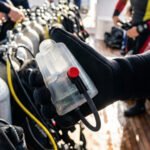
Hold the device against the tank valve, or secure it using the bungee strap. The sensor port must face the valve outlet.
If the red LED flashes rapidly, and warning is shown on the app screen the gas flow is too high. Close the valve slightly until the warnings stop.
Hold still while the device samples the gas. When the green LED stops flashing, sampling is complete and the results will appear in the app.
Gas test complete
GREEN, good to go. RED, stop and check!
USAGE GUIDE - Test your breathing gas (SMART mode)
Plug the USB-C cable into a powerbank, or connect directly to your mobile device using the supplied OTG cable.
The device will initialise and run sensor checks. Wait until the screen displays OPEN APP before continuing.
(Boot-up takes about 15 seconds)
Launch the app on your mobile device, then tap the Bluetooth button in the centre of the screen.
Once connected, pressure, temperature, dew point, and CO readings will appear in the app.
Hold the device against the tank valve, or secure it using the bungee strap. The sensor port must face the valve outlet.
If the red LED flashes rapidly, and warning is shown on the app screen the gas flow is too high. Close the valve slightly until the warnings stop.
Hold still while the device samples the gas. When the green LED stops flashing, sampling is complete and the results will appear in the app.
Gas test complete
Review the results and confirmation message in the app before diving.
INTERNATIONAL DIVING GAS STANDARDS
Shop for Go-NOGo ACCESSORIES